Thursday, 14 February 2013

Stanley Spencer Gallery goes live!


iMuse partner, the Stanley  Spencer Gallery, Cookham, has gone live today with its first AACT iPad installed for visitor use.

Chrissy Rosentahl, volunteer and project lead in the Gallery, ruminates on the practicalities of using a shared iPad in real life.

We launched today in the Gallery  ….  Valentine’s Day! Much love….   I have spent more hours cutting up tennis balls, sticking Velcro to the floor, unsticking Velcro from the floor and scratching my head about security than I have spent sorting out content – but I suppose that’s point of the exercise.

Working with iMuse has been great – because it has inpsired us and motivated us to use the iPads in the Gallery to deliver extra content.  Now we have to see if we have delivered something our visitors actually want.

I have just been training today’s Custodian to unplug and wake up the iPad and to enable Guided Access.  That has not been without its problems.  For fingers unused to touch screen ‘click the Home Button three times’ is not as simple as it sounds…. Do you do it with a finger nail slowly, with the pad of the finger quickly…?? It depends…..

I have written instructions – which are probably more confusing then necessary as I have tried to cover all possible problems – so it’s back to the drawing board on that – I have left the Custodian in the Gallery with the feedback forms (simple) and their first visitor (a woman in her 70’s) – who immediately showed interest and picked it up….

More later…

Wednesday, 30 January 2013

Thinking about a touchscreen interface

iMuse is part of the Arts Council England World Stories project in the Ure Museum of Greek Archaeology.

Working with a student panel, 14-16 year-olds from three schools, Guja Bandini, the Museum's education officer, and professional animator Steve Simons, iMuse is tasked with providing an iPad app. This will bring together  material the project produces, interpreting myths in a fun and engaging way based on an object within each display case.

The overall Project is about young people engaging with the objects in novel ways with iMuse having a particular interest in ensuring accessibility/inclusion are considered. Having an app is a means to an end, not a primary aim, so we'd agreed to use the mini web app previously tried in both the Museum of English Rural Life and the Ure. This was initially designed for use with QR codes on object labels, with a simple, layered interface using symbols and only a modicum of text. In the Ure, this could be used alongside a printed map.


While the interface did seem to provide a reasonably accessible way into finding out about objects (http://www.emeraldinsight.com/journals.htm?articleid=17068126&ini=aob), several things have set us experimenting again.
  • a comment from a teacher-participant that text on the main pages could prove a barrier
  • the decision by the Panel that Sophie the owl should act as guide in some way
  • the difficulty of interpreting a map
  • observing that visitors will experiment with a touchscreen without much instruction (e.g. the Ladybird book in the MERL)
  • the open invitation to create what materials you like about an object/myth (i.e. unknown numbers/types will arrive)
So, we've stepped away from mimicking the old ways (buttons looking like you are controlling something like a cassette recorder). Instead we are experimenting with an interface which has no written text initially, but has photos of the actual display cases to help orientation. Sophie as the cursor/guide, following the visitor's finger, flies past these, settling on an object when requested. The visitor decides which bits of info they want to look at and can easily 'fly back/forward' to other cabinets.

It's not sensible to decide the exact interface until we know what material is going to be provided, but already we have some good ideas coming in about highlighting objects, having audio/visual 'pop-up instructions, and ensuring any text-based items have audio versions, and any visual items have audio descriptions.

There's masses to think about here, with potential for more use of the media such as signing or captions on video.

There are also practical considerations, not least iMuse's very limited technical coding ability and our requirement that this remains a web-type rather than native app. The good thing is there is time for us all to discuss the possibilities and to do some trialling before the launch in early Summer.

All comments about the interface welcome.

Tuesday, 29 January 2013

iMuse in the Stanley Spencer Gallery

Following her post on the Stanley Spencer Gallery, Chrissy Rosenthal introduces the Gallery's iMuse project.

Ann Danks, our gallery archivist, spotted a talk that Annette Haworth of  AACT was giving at Reading about the iMuse work at the Museum of English Rural Life and we decided it sounded intriguing.

The use, and future use of IT in the gallery was something that needed addressing.  We do not have a resident IT geek on our staff list. One member looks after the Gallery plant and till software, one runs the website and I am involved in creating presentations and illustrated talks using archive material  - but we don't have an overall strategy or IT guru to be definitive about our requirements.  As volunteers we have to play to the strengths of the skill base available - and I'm afraid we don't have the geeky ten year old on staff yet who can tell us instantly what we need and how we do it - so we are feeling our way slowly.

We have  discussions about blogging, twitter feeds and Facebook groups, and all the interactive possibilities the new technologies present - but we keep coming back to the same point :  as volunteers we have limited time, knowledge and money.  We have enthusiasm, but also a mature self knowledge that if you can't do something wholeheartedly and properly it is better left alone.  But is this just an excuse for not trying?  Twitter is an amazing marketing tool if used properly - but do you risk ruining that if you are not constantly updating or finding new and engaging things to say - don't you need to use the right language to keep the appeal - and how on earth do you  know who you appealing to anyway? Large institutions have whole departments dedicated to market research and social media - we have a couple of retirees picking their way through the  shifting sands......

This is why the iMuse project is so important to the Gallery.  It opens up for us not only access to the iPad technology - for which we immediately came up with four or five uses - which we could not readily afford ourselves - but just as important is the skill base and the experience they have already gained.   We now have back up and assistance as we pick our way through the minefield.

Working with Annette we have accepted the challenge of a six month experiment to see if  we can create a sustainable way of using technology to engage visitors of all levels of ability and to add to  their experience in the Gallery. 

We have identified a long list of challenges - and are working on the solutions. Twitter can wait while we deal face to face with our visitors.  They are a complete cross section - about a third 'concessions' i.e.over 60 - a third 'adults' and the rest students and under 16's, mainly with school parties.  We are accredited to the Museums Association so we have certain obligations ( which we would feel even without this official requirement) to those with special needs and are already working towards offering enhanced services.

My next blog will cover the challenges we face and how we go about meeting them.

Sunday, 27 January 2013

Stanley Spencer Gallery


Chrissy Rosenthal, co-lead in our latest project, introduces the Stanley Spencer Gallery.  

The SSG is a small but beautifully formed art gallery housed in a converted Wesleyan chapel in Cookham, Berkshire. That statement doesn't do justice to the importance of this vital institution devoted as it is to one of Britain's foremost artists.

Sir Stanley Spencer RA (1891 -1959)  was the YBA of the first half of the 20th century - a very individual visionary artist with a wide oeuvre of work.  He was prolific - creating over 450 oils and thousands of delicate and beautifully crafted and observed drawings. For Spencer each creation contained elements of himself, and his desire to join together the secular and the divine - what he called his 'up there and down here' feelings.   A graduate of the Slade School of Art he was the stand out pupil of his year group, which included such luminaries as Christopher Nevinson, Mark Gertler, Paul Nash, David Bomberg and  Dora Carrington.  He had the distinction of being an official war artist for both world wars.

He became an early victim of the celebrity culture because of his honestly felt and naive attitude to the women in his life  - married to Hilda, the mother of his two children, but infatuated by the lesbian Patricia.  Following a divorce he married Patricia, only to be left virtually destitute and impoverished financially after he professed to wanting both women in his life, and being labelled as the man who wanted two wives.  The Sunday Express of 1937 was outraged and public opinion scandalised. 

He was however much loved, if not always understood, by the community of his native Cookham and the Gallery was opened just three years after his death as a place not only to house a collection of his work, but as a lasting memorial to their local genius.  It is now, 50 years on, an institution of national importance as a centre for Spencer studies, and a destination for international art lovers.  A look in the visitors book will show scholars and enthusiasts from around the globe.

Perhaps one of the most remarkable things about this institution, which on average welcomes more than 15,000 visitors a year, is that it is run totally by volunteers.  Actually that is not quite true - a cleaner is paid to come in once a week.  Today a team of about 50 do everything from organising exhibitions of loan paintings from other galleries and private owners, commissioning the printing of  postcards and framed prints, collate archives, host conferences and lectures, run education and access programmes as well as maintain the building, plant and security.   All this is done on a self financing model - with only occasional and very recent assistance from outside bodies.  In 2006 Heritage Lottery Funding  enabled a complete overhaul of the building and the old chapel became a beautiful  21st century gallery space. One special exhibition was assisted with grant money from the Foyle Foundation and recently small grants have allowed two important education projects to employ specialist practitioners to involve local school groups.

Chrissy's next post introduces the Gallery's iMuse project.

Tuesday, 8 January 2013

Copyright as an accessibility issue

This is a tentative post because there are complex issues surrounding copyright which iMuse would not claim to have grasped fully.

BUT, looking back on what we've done over the last few months, and are currently planning in the three museums/galleries we're working with at the moment, it seems we are being driven at least partly by copyright issues.

The primary iMuse 'idea' is that smaller museums might be able to help visitors engage more, and get better accessibility, by using their own mobile equipment - especially smartphones, and increasingly, tablets.

However, in each site so far we've encountered copyright problems that mean material can be used in-gallery but not outside. This means publishing openly via the web is ruled out, so the simplistic (sounding) 'put your material on the web and show visitors how to access it on their phone' or 'don't write (or pay for) posh native apps - do simple web apps with a bit of HTML5 etc' becomes impossible if you want to use some in-house material. And this doesn't just apply to images of objects, but in some cases to text. Even the text of in-gallery labels was so heavily copyrighted that in one museum iMuse was not allowed to demonstrate how an iPad could help by blowing the text up. In another, although the artist had been dead for 2.5 thousand years, visitors were not allowed to take photos of a loaned pot as 'ownership' rested elsewhere.

Thus copyright is working against accessibility.

What to do? Well, we need to think more than we already have on this issue and work on it right from the start in projects.

What has actually happened, rather subtly, is that iMuse is falling back more and more on the rather old-fashioned model of the museum providing the equipment for the visitor. There are some pluses to this approach of course. We have complete control over the interface, and while at this experimental stage, can afford to loan one or two high-resolution iPads to the museums.

However, this approach doesn't scale or encompass the generality of devices that visitors will increasingly bring along. For example, we have implemented 'mini apps' using the Kiosk Pro app as the 'host' on iPads. This works pretty well, getting over other problems, particularly patchy or non-visitor centred wi-fi. BUT this app is iPad specific. We are subtly getting further sucked-into the Apple ecosystem by using other special features too - the Guided Access mode is one and using iBooks Author in a gallery which has existing Mac experience is another.

Have others already studied (and resolved...) 'copyright as an accessibility issue?'. Copyright is not iMuse's area of expertise - we need help!

Thursday, 29 November 2012

Seeking partners


Are you

  • a resource-challenged modest-sized museum?
  • trying-out low cost ways of engaging visitors via smart phones and/or iPads etc?
  • or thinking about it but worried by the potential financial implications?

We are seeking

  • small museums which would like to try some things out with us
  • museums and groups that would like to explore setting-up a peer-support advisory service
Is this a good idea?
  • would you like to explore further?
  • or is it already being done?

Please
  • contact Annette Haworth via admin (usual at sign) aact.org.uk
  • or comment here.

Thanks!

(AACT is a tiny volunteer-run charity currently managing the iMuse Programme).

Friday, 2 November 2012

iMuse where have we got to?


At the start of 2012, we adopted some 'principles' - a rather grand name for a list of things we were trying to do and how. It's somewhat past time to have look back to see where we are and whether we've stuck to these or think they should be altered.
Here we go,original wording in blue italics:
We aim to help moderate size museums become more accessible by using mobile devices.
By 'moderate size' we meant museums which don't have there own IT teams or large budgets (average app apparently costs ~£30,000) for software development, but which do have some effort - whether staff or volunteer - to put into creating some mobile device-based museum experiences.
By 'mobile devices' we meant those that are now consumer, high-street, web-enabled devices (iPads and similar tablets and smartphones). It was pointed out that other, more specialised, mobile devices (such as Voca) might be included, but we have not done that specifically.
What have we done?
We have tested several things in and around two 'moderate sized' museums: the Museum of English Rural Life and latterly, the Ure Museum of Greek Archaeology.
Have we helped them become more accessible? Not yet on a sustained basis.
We will:
-experiment quickly/iteratively (fail fast, fail often!)
Yes, we have done this, with more than a dozen activities tried out, and iteration, particularly in relation to the use of QR codes and symbolised labels.
-test in the field and with ‘real’ users
Yes, we have done this, with lots of people trying our various activities. However, there have been very few trials where we have known for certain that a visitor has a particular disability or none. Most of the activities have been by mixed family groups with us participant-observing rather than formally set up, controlled sessions. 
-aim for sustainability by leveraging visitors’ own equipment,
almost everything we have done is driven through the web so could be accessed using visitors' own phones/tablets. BUT we have done almost no design specifically for visitors' phones and, while some logs show visitors' using their own phones in the MERL, there has not been any sustained info available about how to connect to the in-gallery wi-fi or any handouts on what is available. Much of what we've tried has been on our iPads loaned to visitors during special events (such as half-term family activities).
-using freely available systems
almost everything we have done is through freely available systems, with a minor (cost-wise) exception of Kiosk Pro for iPad (to enable use without network access in the MERL temporary exhibition area) and of course some bits of code (albeit laughingly simple HTML/Javascript, they none the less would cost if you didn't have the right sort of volunteers!)
-and don’t rely on full wifi/wireless coverage
this is a hard one, and still a very real problem for some sites, thick walls being a museum speciality. We've got round it by (1) carefully choosing the actual places to put e.g. QR coded labels where there is a signal (2) use of Kiosk Pro 
-link (dynamically if possible) to existing museum content [this is a request from museum curators who are concerned about various non-updated copies of catalogue info being promulgated]
Well, we have in our 'layered' version of a couple of trails, linked a further info button or a QR code to the museum catalogue entry. This can work and actually be quite helpful (e.g. the visitor can get the iPad to read out the entry - though the fact the iPad can't pronounce 'Boeotian' was of great concern to one ex-curator...) However, unless there is some ongoing agreement about methods of accessing the catalogue being sustained, the ground can shift under your feet and there is no more guarantee of sustainability than if one were using copied data (we have experienced this with the MERL/University Library aggregation system interface changing. Outside iMuse, there is work on directly feeding the Historypin data from museum catalogue. This all gets quite technically sophisticated and likely to be outside the range of smaller museums.)
-involve visitors in digitising content, recording videos, acting as guides
So far, the only real experiments on this have been with a few young people, where we found involving them in creating content by taking photos and videos did seem to increase engagement greatly. We are, early in 2013, part of an ACE project, Stories of the World, where 3 schools (one a special school,14/15 year olds) will create content based on myths and objects in the Ure Museum.
We have found that more minor involvement, simply being 'in charge' of an iPad with it hung around your neck, or being able to change a trail in a small way by selecting the relevant objects from a set for the Olympics trail did increase engagement, and led to greater interaction within groups. The novelty of simply 'scanning' a QR code, getting an iPad to 'beep' and finding another clue had a hugely engaging effect on 2-82 year olds, with great excitement and chatter from all abilities. Whether that indicates any engagement with the actual objects....
-possibly better to use photos [rather than symbols] as interface.
We have iterated quite a bit on the symbol/QR code/label combinations - cutting down the use of more 'abstract' symbols considerably.
-design so the least able in a group can do something
The tethered iPad-on-a-box on a trolley did enable more to join in some trails (it helped: child in wheelchair, learning disabled group [who chose to re-view and re-view a video], young person using walking frame with poor hand coordination, people who find iPad too heavy, got round difficulties of aligning device on a code, people with VI).
We have adopted a layered approach to access to information, starting with the label and going through other levels through scanning and key-on-screen taps so that visitors of different abilities can choose what they look at/hear. We managed to get some analysis of the QR code use done (note coming out in Journal of Assistive Technologies, in print).
Most recently, the text-free Ladybird book (an iPad bound to look like a Ladybird book, with the original artwork pictures and sounds associated with tapping the animals etc) has proved enormously popular with visitors of all types.
............................

So,on the face of it, we seem to have followed the principles more or less.
BUT where does this leave iMuse? It needs to find a way to encourage museums to become 'mobile device' friendly. Trying fun things out in a couple of museums does not lead to anything sustainable. We are looking for ways to encourage others to try things, for example by setting up an advisory service in partnership with other organisations.

Saturday, 14 July 2012

holybrook walk


Three minute video from the AgeUK Berkshire Historical Walk in Reading along the Holybrook and River Kennet


Friday, 13 July 2012

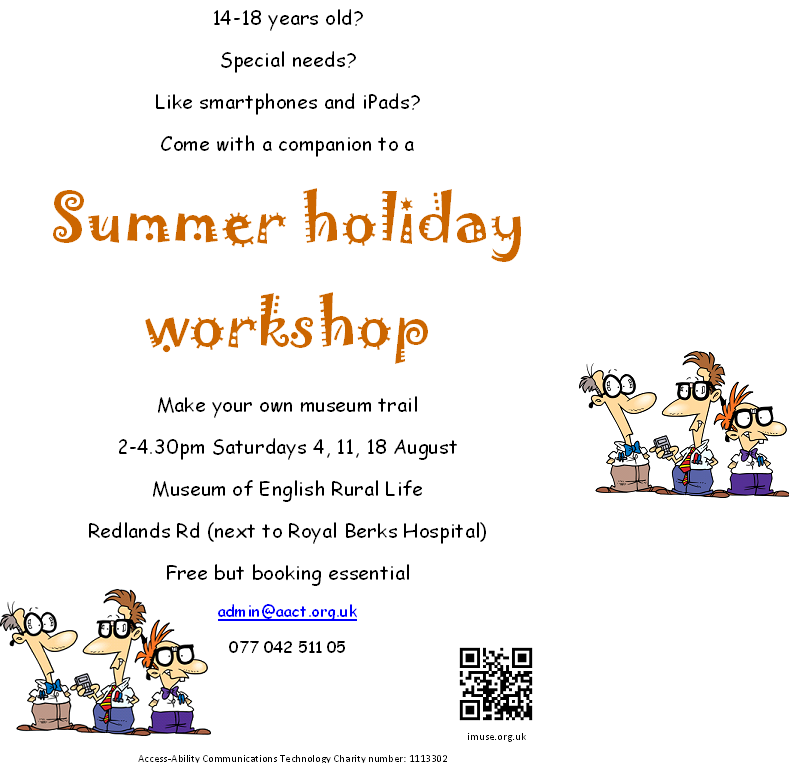
Summer holiday workshops


  • The aim is to have fun in the museum either doing our trail on an iPad (which can be carried, worn round the neck or wheeled round on a trolley) looking at videos and photos of a few of the objects in the museum and/or making your own museum trail.
  • Participants can use either their own smartphones/tablets (like iPads) or use one of ours (or both!)
  • We will show how to make a QR code (one of those square dotty barcodes) and scan it on a smartphone/iPad so it takes you to something interesting (like a video).
  • Participants can chose one or more objects in the museum which they find interesting. They can take photos or videos of it and we'll help them make a QR code for it, and a museum-type label with this on.
  • This can be tied to the museum object and they can show people how to do their 'trail' if they like (or take more photos with it in place perhaps to show to the family later.)
  • The aim is to have fun, do things at whatever speed the participant likes, rather than have a formal 'learning experience'.
  • We aim to just have a few participants on each afternoon, with free cake and tea/coffee/juice for them and their companion.
  • Companions are welcome to join in, look round the museum or relax in one of its comfy chairs as they like. [we haven't quite worked out how to show live Olympics at the same time, but am investigating!)
  • Everything is in one area, with the studio just off the main museum gallery.
  • There is flat access (including to a disabled toilet at the end of the gallery).
  • Free parking.
  • If participants would like to tell us of their special needs in advance we will do our best to accommodate them.


Thursday, 21 June 2012

merl horses cows wheels

A PGCE student has done some fun presentations using Prezi. Try them out by clicking below. We'd love to know what you thought so do post a comment. Many thanks.

http://prezi.com/facmzzzb3hol/merl-horses-at-work

http://prezi.com/cb6kfmifs6ey/merl-cows-around-the-world

http://prezi.com/brqfads2ucrd/merl-wheels-in-the-countryside

Thursday, 7 June 2012

Hanging out in the MERL


At Half-term, June 2012, we are just hanging around in the Museum of English Rural Life with iPads, Berkshire Farmer Books and the iMuse trolley. Visitors are trying bits of the trail, with labels fastened with soft tape to objects, QR codes and (a selected few) Widgit symbols, videos showing stuff working, extracts of the story being read, photos from the archives.

Children are borrowing the iPads to draw and take photos (and transform them optically). We've tweeted some as an easy way to save them. Interesting that we got a drawing of a 'Tractor at Night' - good to see an understanding of modern farming techniques in an 8 year old, though the 'Farmer Pirates' treasure map was an interesting mix of themes!

A family watched the video from the Amners Farm Lambing Sunday - though some turned away during the actual birth, one raised the subject of stillbirth which showed an encouraging understanding of the sometimes grim reality.

We also showed the Olympics Trail - the animations [story lines from two Reading schools as part of the Cultural Olympiad] went down very well, and did lead to discussion on javelin throwing and Greek boxing. Young children knew more about the street dancing moves than iMuse. Also brief iMuse visit to the Ure Museum of Greek Archaeology, Reading, revealed that the animator has now published the full thing which is great news. See Ure View Animating Ancient Greece on Youtube

MERL has a very relaxed area with toys, a rug to play on and comfortable seats. It's a natural place to sit showing stuff on mobiles like the iPads with people dipping in to look at stuff or draw or talk. Not all museums have this though. iMuse will have to think about what/whether it could do in a more formal place.

Village Fete coming up 9 June. iMuse will report it here.

Wednesday, 6 June 2012

Olympic trail


We are working on a 5-stop (one for each day of the Ancient Olympics) trail in the Ure Museum of Classical Archaeology. Each stop will have one object associated with a particular day.

Material has been gathered from the Open University's excellent Openlearn Olympics information.

Some of the same problems as in the Berkshire Farmer trail have been encountered, plus the added wrinkle that Openlearn uses Flash for its animations so we are unable to show these on an iPad.

Our urge to try a more 'industry standards' compliant tablet is great, but we probably do not have the manpower to support another tablet, and the iPad accessibility options are otherwise good.

We have been able to use the animations from the Reading schools/animator/Ure cultural olympiad project in the iPad version being tried over half term in the Ure Museum. The animator and the Museum have granted permission to use elsewhere but we await permission from funders (?) as use on other mobile devices would require publishing.


Berkshire farmer trail


Labels with QR codes and Widgit symbols are now tied to various objects in the Museum of English Rural Life with (soft) tape supplied by the Museum Conservator. We've started to let visitors try it for themselves on our iPad-on-a-trolley.

Video, especially of the thresher, was popular yesterday, as was breaking out to draw corn and 'countryside' on the iPad and take transformed photos.

Maybe the trail should take the visitor straight to a video clip before offering other options?

Some visitors who are not iPad-users find the concept of 'tap' [the buttons] don't 'push' (as you would with an ordinary button) difficult. Not being able to play a video as soon as a QR code is scanned (for example) is nasty and seems to be an iPad 'quirk' which has no (believable-rational) explanation. The Kiosk Pro app has been useful to run demos of the trail where no wi-fi or wireless signal is available (especially good for Country Fayre in a marquee) but of course we need a signal when, say, a Youtube video forms part of the trail. If the iPad is online, the app is not 'allowed' (?) to use the camera.

Odd 'features' like this make it difficult to produce a really sound (ergonomically) 'webapp'. It may just be impossible to have a perfect solution for loaned-out iPads. The situation is different with the users' own devices of course - they will know how to tap/scroll etc and the museum will not have to worry about the visitors accessing other sites on the web - it will be up to the visitor.

We have two versions of the 'app'. One for each stop on the trail, intended for use by a visitor standing in front of an object, and with access to the QR code. The other which can be used 'standalone' with arrow keys to take you from one stop to the next.

Not just a Berkshire Farmer trail

Sunday, 27 May 2012

Tweet a sheep


Mondrian-on-iPad inspiring bunting design for MERL Fete, 9 June, Reading
More sheep tweeted from the Young Farmers' Club Berkshire Country Show, Englefield Estate, Nr Reading, 27 May 2012. And our intrepid iPad-wearing camera team took these photos:

Visitors to MERL's stand at Lambing Sunday, Amner's Farm, near Reading, Berkshire, UK, 29 April 2012 made their own sheep and took photos of real ones, and some very new lambs, with iMuse iPads.

Make-a-sheep flock

We tweeted some @imuse_programme and put them in our sheep gallery alongside other pictures from the MERL.
See Tweet-a-Sheep's set of photos on Flickr.


See Loren's photos of lambs here.
And we made a video of a lamb being born.


And here it is being watched - MERL and iMuse 'Cultivating knowledge'!

Friday, 20 April 2012

More experiences with touch screens and QR codes

We've found that some people can have difficulty making touchscreens work. There can also be problems with lining-up the camera  on a smartphone or iPad with a QRcode. A previous blog, http://imusenews.blogspot.co.uk/2012/02/initial-experiences-with-touch-screens.html, described these problems.

We have a bit more experience, from both visitors and volunteers/staff at our iMuse partner museum and from more elderly and partially-sighted (potential) users elsewhere.

First, on the touchscreen, it seems some people just do not have whatever the right 'chemistry' or whatever is needed on their fingertips to get a screen to react. Here is a 92 year old, who can see well enough to touch an icon on an iPad 2, and who is proficient with similar manual tasks such as typing. Despite help, the iPad just did not react at all to his touch. Interestingly, an attempt on a subsequent visit, this time with the new iPad, presented no problems at all and touching, swiping and pinching were all fine.

A staff member at the museum described a similar touch problem with an iPhone, which would not react at all. However, trying our new iPad was fine. Now, they had just come from a shopping trip during which they'd tried out some hand creams. Pure speculation, but is there a connection? One of our volunteers (who wishes to remain anonymous due to this unsavoury habit) confesses to licking her fingers before using a screen that isn't reacting (and sometimes feels this helps also on a laptop tablet-mouse). Is this real or the start of a new urban myth? What about the weather? Is a very dry day unhelpful?

A museum volunteer just could not get a 'touch' on the iPad to work but there could be a reaction to movement - the whole screen in an application shifting. This can be disturbing for people not used to it -  they can even think they have 'broken' something. We have had this 'fear' reaction also from someone in their 70s who is a long standing computer-user, but used to the more mechanical 'feel' and reaction of a keyboard and mouse-click.

Earlier, we found another 92-year old felt reasonably comfortable with trying out Historypin (which involves touching a map) on an iPad 2, saying she 'would enjoy doing this', but again there could be unexpected movement as the user leaves their finger on the screen, or inadvertently touches it, for example while passing the iPad to a companion. For now, we are locking the screen in the trial 'apps' but this isn't ideal as some of the usefulness of the iPad (e.g. pinching to increase the size of photos to see more detail of a museum object, or as an aid to those with failing sight) is lost.

The iPad can also be awkward, and rather heavy for someone with weak wrists to hold. Without any sort of extra case it can feel a bit hard and 'slippery'. We also found during the Project Berkshire experience in the shopping mall that some people preferred to use the iPad mounted in a box to do the drawing activity, somehow maybe it felt more 'secure'? For its use as a QRcode reader, mounted for example on our trolley for a museum visitor to wheel around (http://imusenews.blogspot.co.uk/2012/02/great-reading-cheese-mystery-part-4.html) we have been thinking of moving from the amateur-looking sticky tape and cardboard box to a custom-built wooden box [as befits a Rural Life museum].

This would however increase the weight which may not help more frail users when using it say at home. This is a consideration for our new project, using the iPad and music, where the iPad will be used in partially or totally 'uncontrolled' environments in a care home or in the user's own home. Perhaps again, using it on an adjustable trolley/table rather than handheld might be the way forward? It would give the user one less thing to worry about. Have other projects had experience with this elsewhere?

Using the iPad in a box with QRcodes on movable labels has proved extremely reliable for all visitors to our mini trails. In fact, children enjoyed having to control sliding the label under the camera until the iPad 'beeped' and put them online. However, for a partially-sighted user who tried out the box, this lining-up proved a bit problematic, and we have not yet had any user with more difficulties with hand-control try it. Our idea at the moment is to use reasonably thick card for the labels, to give stiffness, and to provide some sort of raised guide rails to help line up the label as it is slid into the box. We'll do some further testing with users and report back!

Wednesday, 28 March 2012

The Great Fire Engine Mystery - the story

It's Good Friday - the one day in the year that the workers in the village have as holiday.

But, Chief Engineer Rab Bit and his team have to test the fire engine.

Disaster strikes as Rab is walking to the village through the woods. He steps on a rabbit trap. He drops his notebook. He manages to escape but his leg is broken. He can't organise the fire engine test.

His team do their best.

They wheel the fire engine down to the village pond. They put one end of a hose in the water. They hold the end of the other hose up towards the trees. They start pumping. Everyone comes to watch.

A great cheer goes up as the water gets to the top of the trees. The fire engine is working.

But suddenly they hear a scream. Mummy Duck comes running up. Duckling is missing. One minute he was taking his first swim in the pond. The next he was nowhere to be seen.

Whatever happened? And where is Duckling?

Crack Reading detectives are called in to look at the evidence.


Some children by the pond thought they saw something fly past. Luckily one of them has taken a video on her phone. The detectives have a good look at it.


Is that Duckling zooming past? It can't be. Duckling can't fly yet. He was only just learning to swim.

The detectives find out how the fire engine works.


Was Duckling sucked up by the fire engine? But that should be impossible. A fire strainer on the end of the hose would have stopped anything being sucked up.

They find Rab Bit's notebook where he'd dropped it by the rabbit trap. He had made a note to take the fire strainer with him.

The detectives hunt for the fire strainer. It looks very new and completely unused.

The detectives have discovered that the team forgot all about the fire strainer. Duckling must have been sucked up by the fire engine and shot out of the other end towards the trees.

They hunted high and low. Eventually they found Duckling, looking very angry, high up in a tree.

Mummy Duck was very happy.

The fire team were rather embarrassed but they never forgot the fire strainer again.

Chief Engineer Rab Bit was so grateful that he gave the detectives a medal and tickets to watch his favourite film, Tilley and the Fire Engines (1911).


............
The not-so-Alternate Reality

Built in 1839, the fire engine at the Museum of English Rural Life, Reading, UK was in service for over a century. It was tested on Good Fridays as that was the only day, apart from Sundays, that the people in the Norfolk village did not have to work. Testing it was a spectacle that everyone came out to view.
Privy photo courtesy the Ramsey Rural Museum Cambs

A Chief Engineer and two other men were paid a small amount to tend the engine which was last used on a call to a privy fire in 1930.

The village decided it was too expensive to keep the fire engine in the 1930s but during the Second World War it was positioned by a farm pond in case incendiary bombs hit the hay ricks.

Further information about the fire engine is in the Museum of English Rural Life catalogue
http://www.reading.ac.uk/adlib/dispatcher.aspx?action=search&database=ChoiceCollect&search=object_number='51/410'

Just as we were setting-up the trail in the Museum, Fred the Conservator showed us a wonderful Huntley & Palmer biscuit tin. Dating from the 1890s, the tin depicts a steam-driven fire-engine drawn by two horses, with lively scenes of fire fighting. Fred kindly put it in the horse-vet display case near the fire-engine. Fantastic real-time museum display design! Huntley & Palmers was a central part of Reading life in the 19th and 20th centuries, and Alfred Palmer built 'East Thorpe' (Later St Andrews Hall) which now houses the Museum's extensive archives.


Fred also found a video showing a fire engine like the one in the MERL being pulled by a horse in the Netherlands.http://www.brandweerevenementen.nl/Videos/MOV02419.MPG

and there's another Tilley engine being demonstrated in New Zealand at http://youtu.be/2Ed39zcO84Y


Friday, 9 March 2012

Getting to grips with the heritage trail

 iMuse in Reading is creating a small exhibition to accompany The Friends' London Road Campus Heritage Trail (Sunday 25 March 2012 - all welcome). After a morning going through the photos we already have from The Friends' and Women's Club previous mini exhibitions plus those in the UMASCS (University Museum and Archives and Special Collections Services) archive at the Museum, we had to check out where a couple of them were actually taken
(original (c) University of Reading)
Here the correct lodge is pinned down through its unusual decoration. Another photo, claimed to be from Shinfield on an official University postcard (not the Museum's fault!), was found to come from the old Dairy immediately outside the Museum building itself. Verified by counting bricks and position of drainpipes. A good mark for iMuse's heritage sleuthing if not a very glamorous task.
Now we have to decide how to display - on separate exhibition boards and/or overlaid on the diagram of the new use for the site and/or on a diagram of the old site layout and/or via Flickr, Pinterest, Tumblr, Historypin. How best to arrange for display on iPads or visitors' phones? How much text/audio to add? Should we trial doing 'proper' audio descriptions? How to keep the photos for another time?

What will work best in the reception area for the Sunday event? Will the University Court the next day be in the same place? How can we support the lightweight, cardboard display as the walls aren't totally flat (there's a piece of panelling on one, window halfway up on the other).


For an IT based programme, iMuse people are spending a lot of time with double-sided sticky-tape and paper...here printing out the basic photos for the exhibition... and it went 3D when the iMuse trolley was delivered - flatpacked.

Next week we'll get back to digital....

How many women does it take to assemble a flatpack? It was the third one who cracked and asked a man for a set of screwdrivers...

Friday, 2 March 2012

What are we all here for anyway? - Part 2

What's imuse trying to achieve? Part 1 is at http://www.aact.org.uk/imuse.php. Here's some more thoughts.

We picked up interesting ideas from Museum Computer Network conference, Atlanta, November 2011 especially from Nettrice's workshop on Alternate Reality Games - ways of encouraging visitors and museum interaction. Some of those methods were used in the mini [cheese and cheesey] ARG at half-term.

Now we have the book Museums at Play - Games, Interaction and Learning (ed Beale, Museumsetc, 2011). As we look more closely at what we are trying to achieve, it seems worth jotting down bits as we go along so we remember them. The very first sentence was worth the expense! It starts

      'Interactivity, curiosity, challenge, cooperation, choice, creativity, discovery, failure'

That sums up (rather more succinctly than in http://www.aact.org.uk/imuse.php) what imuse is trying to enable.

OK, we are working within some definite constraints. imuse is a project being run by a tiny charity - we are not ourselves a museum. The Charity's aim is to find ways that inclusion can be increased for those with communications disabilities using IT [our Charity's strapline is 'IT helping inclusion']. imuse is exploring systems that enable 'interactivity, curiosity, challenge, cooperation, choice, creativity, discovery, failure [well, and success!]' in the context of: small and moderate sized museums that don't have dedicated IT teams or much (if any) spare cash for trying new things or buying equipment.

Our plan (to 1Q13) is to try out ideas in 'several' (currently defined as 'three') museums. If things look promising (i.e inclusion increased) we aim to explore the possibility for setting up a sustainable advisory service.

We are an 'infrastructure' project. That is, we look at how museums and their visitors can put in place systems which aid inclusion, particularly using IT. It is then up to the museums and visitors how they use those systems towards their own aims. Taking the analogy for physical access, a consultant may advise a museum on where to put lifts, toilets, the height of the reception desk, space around objects. The consultant will have done a good job if more people can get into  and move around the museum. Why the visitor wants to do this and why the museum wants them to do it are different matters, will change over time way after the consultant has gone and will have many facets.

For example, one visitor may want to bring her grandchildren somewhere fun for a holiday outing where they can do things together, another may want to study a specific museum collection. The museum may have funding to help local schools with part of the national curriculum, or  have an aim to increase volunteering. The access consultant may have been apprised of some of these at the start of his project, but cannot know them all because things change. Those outcomes are not his speciality. Getting people in and moving around is. After that it's up to visitors and the museum whether they use the systems for having fun, running a cocktail reception, formal learning, somewhere to go on a wet Sunday.


Thursday, 1 March 2012

The Great Reading Cheese Mystery - Part 5 more observations from half-term

Lorna noted these comments made during the Great Reading Cheese Mystery trial at the Museum of English Rural Life.

"best trail I've ever done at a museum"

"it was really fun and I liked it a lot" (6 year old)

"it was fun but someone was sitting on the basket at clue 6"

"it was fun but hard to find the information" -older girl 11/12ish

"that was really, really good fun"

"that was just excellent"

And here are some observations:

- one person did the entire trail without returning to scan the clues (this was an adult who said they had a child, although the child wasn't actually seen at any point)

- observation from adult who took two children round separately (i.e. adult went round trail twice) commented that they 'got bored of reading the parents' sheet and gave up reading it after struggling through the first paragraph.' they felt 'it took the enjoyment away from the trail' and that they 'enjoyed and learnt a lot more from just reading and using the detectives report to communicate with the children'. [Further observation from Annette - most parents seemed to have enough to cope with without taking a parents' sheet. We printed 25 and probably got rid of no more than a dozen (though at least 84 adults took children round. The more useful place for them was probably for those who stayed to talk further about Reading and cheese - not many but enough to make it worthwhile - though most times I forgot there was a sheet they might find interesting post the trail. Speculating I would say the sheet looked too serious and 'school like' for what was meant to be a fun, shared half term activity encouraging communication].

- after a while clues began to curl and the inigma machine failed to recognise them

- some clues were found ripped up [very carefully, along the dividing lines and put back in the clue basket - making it difficult to see in passing that the stock of clues was running low. This was next to the tinies' model farm play-area so may have been a 2 year old vandal from there rather than a registered detective. Annette has kept the one that was actually chewed as a souvenir].

- as far as our records go, only one parent-child set started the trail but did not finish it - in fact stopped after going to the first clue site, saying the game was too difficult for the 6 year old and the child did not want to continue. More support was offered but not accepted.

- a parent and child were doing the rat trail and came and asked if I knew where the last rat was. I explained that Judith at the desk had a help sheet. As Judith was on the phone and there was a slight queue. I offered to have a look at their clipboard and see if I could remember where the last one they were looking for was. This led to me getting the rat trail up on the iPad [this is on the Open University's free Our Story app] and talking the child through each slide on there, to see if they had found the rat pictured. This helped them find the rat they had missed, without being too obvious about where it was. They then went off to find said rat and later when undertaking the cheese mystery, thanked me for the help in finding it. Not strictly cheese mystery but I thought it was a good thing to note and they seemed to quite enjoy looking at the rats on the iPad. They also got correct names for objects of where the rats where hidden when going through them on the iPad. (as in the object names of where they found the rats were slightly incorrect in the first instance)

-  there seem to be 2 ways of viewing the Mystery - one as a quest and other as getting round the museum. A lot of children saw it as a quest-like adventure whereas for parents/grandparents etc that went round with younger ones, it was more of a different way of getting around the museum. [we had deliberately designed it so the groups had to go through a substantial part of the museum for three clues, and for another had to go in the opposite direction to the temporary exhibition which people often said they had not realised was there].

- cheese making part of the trail - a lot of people missed the full content of this part of the trail and the detectives' report came to the bottom of the page part way through and therefore this led to them missing the need to turn over the page. Maybe a P.T.O would have been helpful here [we tried to get more of a 'flow' about the actual cheese making process at one clue stop. This meant changing gear to look at 3 objects and as it coincided with having to turn the page on the detective report, a lot did not manage to do all of this. By contrast, a few families looked really closely, lead poisoning being a topic which one mother and child had discussed and the child really interested in e.g.].

- one child asked to do it again - completed it very quickly

- 'but we can find it' - two girls [?] when asked if they knew what a milk float was - a positive can-do attitude as despite saying no they didn't know what it was they weren't fazed at all and declared as it says that 'we can find it!'

- Lady (grandparent) was going to tell the story of smelling the cheese to others as she found it very humorous and obviously a must-tell to her friends!

- Reading cheese press - thought it was from Dorset [it was - where it was made. Quite a lot of people didn't take the extra step to read the old museum label to find where it had been used. - and did a label disappear during the week? This was another 'change of gear' in terms of observation which many didn't manage]

Wednesday, 29 February 2012

The Great Reading Cheese Mystery additional notes


As one of the project aims is to encourage people to learn more about their heritage, the project worked on creating a mini Alternate Reality Game aimed at children aged 6- 13 visiting the MERL during the February half-term.
A topic was selected that incorporated the fact that the building next door to the MERL was once a dairy used by the British Dairy Institute, an associate of the old pre-university college. Objects from the Institute and the University are in the MERL, which includes a particularly extensive collection of objects related to butter-making. 
A storyline was then formed, using objects in the MERL that had local dairy connections, for example a milk float and a cheese press.
The MERL had advertised its activities for the half-term week as suitable for children aged 6+. So it was decided to aim for the same age range.
The actual mystery game itself involved children coming along to the ‘forensic lab’, a table with iPads, clipboards, clues and volunteer helpers known as the ‘lab assistants’. Here the children were signed up as detectives, which involved them scanning an ID card which had a QR code on it. The cards and also later clues, were scanned via the i-nigma machine (an iPad secured in a box, on a table) to discover the child’s detective ID number. From there they were given their first clue (a slip of paper with a QR Code on), which was again scanned by the iPad to reveal the location of the next clue. At each trail stop where the clues were collected, the children were asked to answer a question about the objects nearby, which were of course related to the cheese making theme of the mystery. Each clue had to be brought back to the lab and i-nigma machine for scanning, to reveal information about the location of the following clue. The final question asked the young detectives to smell a block of smelly cheese and identify which cheese they thought it was. They were then rewarded with a certificate of appreciation for their help in solving the mystery.